Gitingest
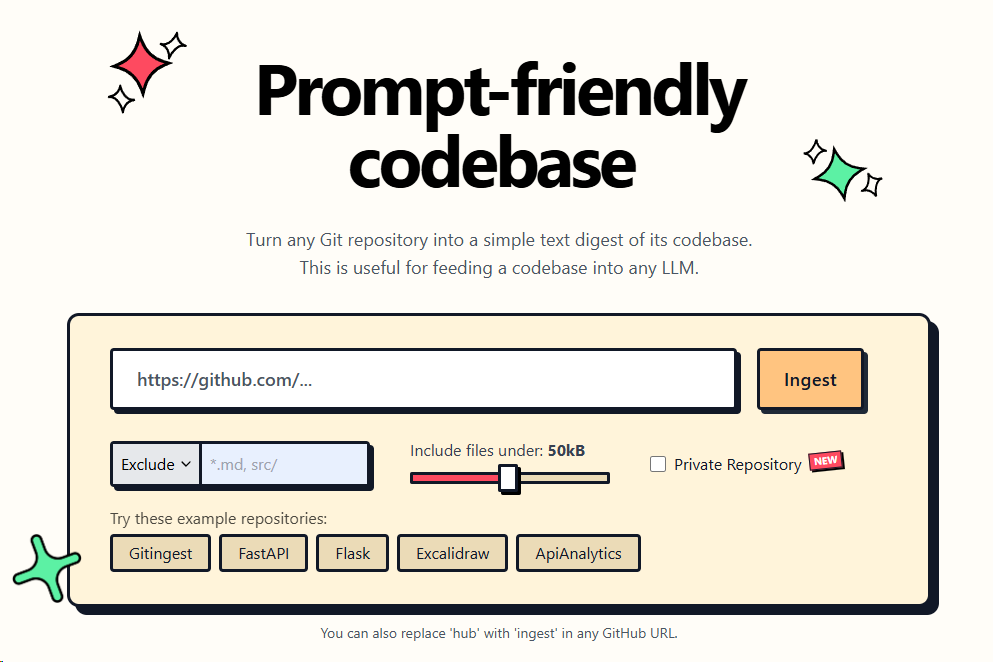






Turn any Git repository into a prompt-friendly text ingest for LLMs.
You can also replace hub with ingest in any GitHub URL to access the corresponding digest.
gitingest.com · Chrome Extension · Firefox Add-on
Deutsch |
Español |
Français |
日本語 |
한국어 |
Português |
Русский |
中文
🚀 Features
- Easy code context: Get a text digest from a Git repository URL or a directory
- Smart Formatting: Optimized output format for LLM prompts
- Statistics about:
- File and directory structure
- Size of the extract
- Token count
- CLI tool: Run it as a shell command
- Python package: Import it in your code
📚 Requirements
📦 Installation
Gitingest is available on PyPI.
You can install it using pip:
pip install gitingest
or
pip install gitingest[server]
to include server dependencies for self-hosting.
However, it might be a good idea to use pipx to install it.
You can install pipx using your preferred package manager.
brew install pipx
apt install pipx
scoop install pipx
...
If you are using pipx for the first time, run:
pipx ensurepath
pipx install gitingest
🧩 Browser Extension Usage


The extension is open source at lcandy2/gitingest-extension.
Issues and feature requests are welcome to the repo.
💡 Command line usage
The gitingest command line tool allows you to analyze codebases and create a text dump of their contents.
gitingest /path/to/directory
gitingest https://github.com/coderamp-labs/gitingest
gitingest https://github.com/coderamp-labs/gitingest/tree/main/src/gitingest/utils
For private repositories, use the --token/-t option.
gitingest https://github.com/username/private-repo --token github_pat_...
export GITHUB_TOKEN=github_pat_...
gitingest https://github.com/username/private-repo
gitingest https://github.com/username/repo-with-submodules --include-submodules
By default, files listed in .gitignore are skipped. Use --include-gitignored if you
need those files in the digest.
By default, the digest is written to a text file (digest.txt) in your current working directory. You can customize the output in two ways:
- Use
--output/-o <filename> to write to a specific file.
- Use
--output/-o - to output directly to STDOUT (useful for piping to other tools).
See more options and usage details with:
gitingest --help
🐍 Python package usage
from gitingest import ingest
summary, tree, content = ingest("path/to/directory")
summary, tree, content = ingest("https://github.com/coderamp-labs/gitingest")
summary, tree, content = ingest("https://github.com/coderamp-labs/gitingest/tree/main/src/gitingest/utils")
For private repositories, you can pass a token:
summary, tree, content = ingest("https://github.com/username/private-repo", token="github_pat_...")
import os
os.environ["GITHUB_TOKEN"] = "github_pat_..."
summary, tree, content = ingest("https://github.com/username/private-repo")
summary, tree, content = ingest("https://github.com/username/repo-with-submodules", include_submodules=True)
By default, this won't write a file but can be enabled with the output argument.
from gitingest import ingest_async
import asyncio
result = asyncio.run(ingest_async("path/to/directory"))
Jupyter notebook usage
from gitingest import ingest_async
summary, tree, content = await ingest_async("path/to/directory")
This is because Jupyter notebooks are asynchronous by default.
🐳 Self-host
Using Docker
The application will be available at http://localhost:8000.
If you are hosting it on a domain, you can specify the allowed hostnames via env variable ALLOWED_HOSTS.
ALLOWED_HOSTS="example.com, localhost, 127.0.0.1"
Environment Variables
The application can be configured using the following environment variables:
- ALLOWED_HOSTS: Comma-separated list of allowed hostnames (default: "gitingest.com, *.gitingest.com, localhost, 127.0.0.1")
- GITINGEST_METRICS_ENABLED: Enable Prometheus metrics server (set to any value to enable)
- GITINGEST_METRICS_HOST: Host for the metrics server (default: "127.0.0.1")
- GITINGEST_METRICS_PORT: Port for the metrics server (default: "9090")
- GITINGEST_SENTRY_ENABLED: Enable Sentry error tracking (set to any value to enable)
- GITINGEST_SENTRY_DSN: Sentry DSN (required if Sentry is enabled)
- GITINGEST_SENTRY_TRACES_SAMPLE_RATE: Sampling rate for performance data (default: "1.0", range: 0.0-1.0)
- GITINGEST_SENTRY_PROFILE_SESSION_SAMPLE_RATE: Sampling rate for profile sessions (default: "1.0", range: 0.0-1.0)
- GITINGEST_SENTRY_PROFILE_LIFECYCLE: Profile lifecycle mode (default: "trace")
- GITINGEST_SENTRY_SEND_DEFAULT_PII: Send default personally identifiable information (default: "true")
- S3_ALIAS_HOST: Public URL/CDN for accessing S3 resources (default: "127.0.0.1:9000/gitingest-bucket")
- S3_DIRECTORY_PREFIX: Optional prefix for S3 file paths (if set, prefixes all S3 paths with this value)
Using Docker Compose
The project includes a compose.yml file that allows you to easily run the application in both development and production environments.
Compose File Structure
The compose.yml file uses YAML anchoring with &app-base and <<: *app-base to define common configuration that is shared between services:
x-app-base: &app-base
build:
context: .
dockerfile: Dockerfile
ports:
- "${APP_WEB_BIND:-8000}:8000"
- "${GITINGEST_METRICS_HOST:-127.0.0.1}:${GITINGEST_METRICS_PORT:-9090}:9090"
Services
The file defines three services:
-
app: Production service configuration
- Uses the
prod profile
- Sets the Sentry environment to "production"
- Configured for stable operation with
restart: unless-stopped
-
app-dev: Development service configuration
- Uses the
dev profile
- Enables debug mode
- Mounts the source code for live development
- Uses hot reloading for faster development
-
minio: S3-compatible object storage for development
- Uses the
dev profile (only available in development mode)
- Provides S3-compatible storage for local development
- Accessible via:
- Default admin credentials:
- Username:
minioadmin
- Password:
minioadmin
- Configurable via environment variables:
MINIO_ROOT_USER: Custom admin username (default: minioadmin)MINIO_ROOT_PASSWORD: Custom admin password (default: minioadmin)
- Includes persistent storage via Docker volume
- Auto-creates a bucket and application-specific credentials:
- Bucket name:
gitingest-bucket (configurable via S3_BUCKET_NAME)
- Access key:
gitingest (configurable via S3_ACCESS_KEY)
- Secret key:
gitingest123 (configurable via S3_SECRET_KEY)
- These credentials are automatically passed to the app-dev service via environment variables:
S3_ENDPOINT: URL of the MinIO serverS3_ACCESS_KEY: Access key for the S3 bucketS3_SECRET_KEY: Secret key for the S3 bucketS3_BUCKET_NAME: Name of the S3 bucketS3_REGION: Region for the S3 bucket (default: us-east-1)S3_ALIAS_HOST: Public URL/CDN for accessing S3 resources (default: "127.0.0.1:9000/gitingest-bucket")
Usage Examples
To run the application in development mode:
docker compose --profile dev up
To run the application in production mode:
docker compose --profile prod up -d
To build and run the application:
docker compose --profile prod build
docker compose --profile prod up -d
🤝 Contributing
Non-technical ways to contribute
- Create an Issue: If you find a bug or have an idea for a new feature, please create an issue on GitHub. This will help us track and prioritize your request.
- Spread the Word: If you like Gitingest, please share it with your friends, colleagues, and on social media. This will help us grow the community and make Gitingest even better.
- Use Gitingest: The best feedback comes from real-world usage! If you encounter any issues or have ideas for improvement, please let us know by creating an issue on GitHub or by reaching out to us on Discord.
Technical ways to contribute
Gitingest aims to be friendly for first time contributors, with a simple Python and HTML codebase. If you need any help while working with the code, reach out to us on Discord. For detailed instructions on how to make a pull request, see CONTRIBUTING.md.
🛠️ Stack
Looking for a JavaScript/FileSystemNode package?
Check out the NPM alternative 📦 Repomix: https://github.com/yamadashy/repomix
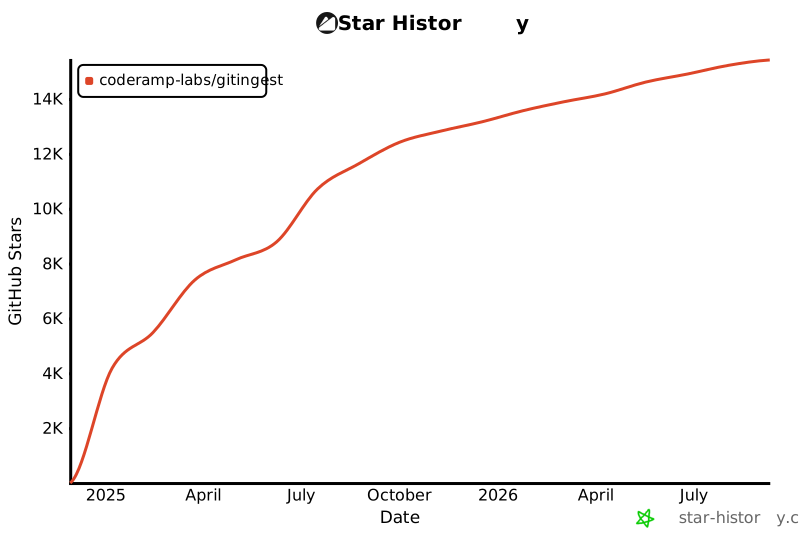
🚀 Project Growth