react-native-network-component
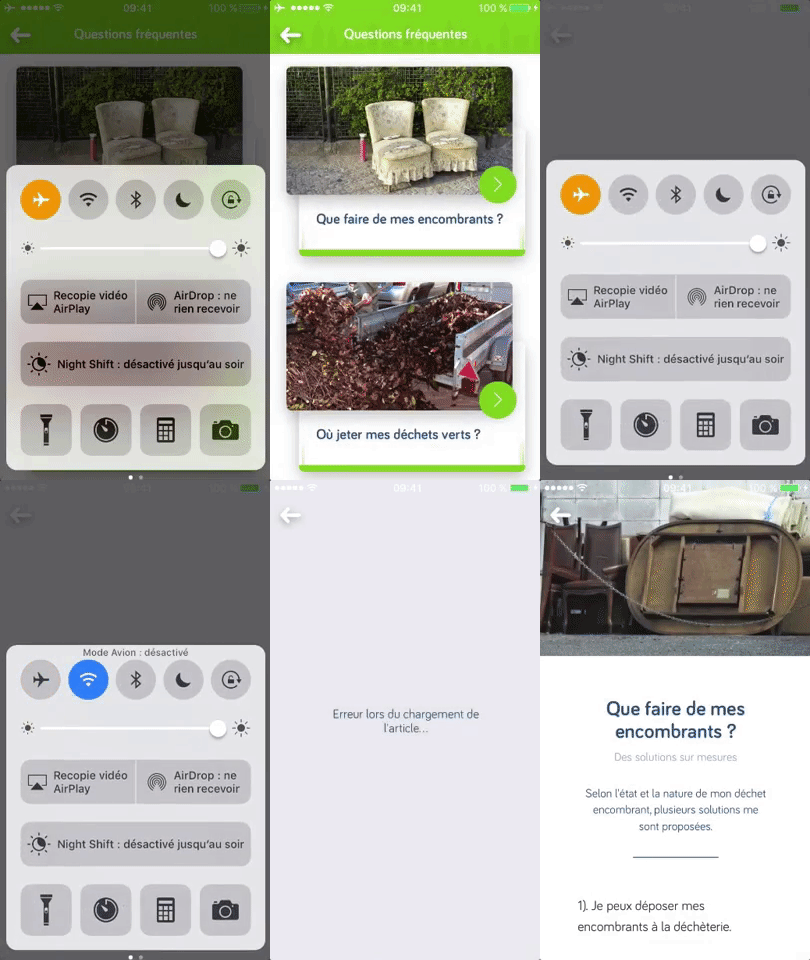
What's the point ?
This class allows you to easily fire your data fetching method when the user's network is back online or when he's resuming the app, making it easy to refresh the data or to download it as soon as possible.
Handling a disturbed and changing network is primordial for the user's experience.
How to use
The first step is to extend your component class with this one instead of React's Component one.
You also need to call super.componentDidMount() and super.componentWillUnmount() in these lifecycle methods if you're already implementing them. If you don't, skip this step.
This class will provide you with the handleNetwork() method that you should use to attach online/offline listener when you want to. A good practice would be to use it when you couldn't fetch the data.
That's about it, here's an example :
import React, { PropTypes } from 'react';
import NetworkComponent from 'react-native-network-component';
import { fetchAPI } from 'cpacollecte/src/services';
export default class Article extends NetworkComponent {
constructor (props) {
super(props);
this.state = {
status: 1
};
}
componentDidMount () {
super.componentDidMount();
this.fetchData();
}
async fetchData () {
const { _id } = this.props;
try {
if (!this.state.status !== 1) {
this.setState({ status: 1 });
}
const data = await fetchAPI('articles', { params: { _id } });
if (data) {
this.setState({ data, status: 2 });
} else {
this.onError();
}
} catch (err) {
console.warn(err);
this.onError();
}
}
onError () {
this.setState({ status: 3 });
this.handleNetwork();
}
}
In summary, if the data couldn't be fetched when the component has been mounted, the onError and more importantly the handleNetwork methods will be fired. This way, when the user is back online, fetchData will be fired again.
In addition, resuming the app from the background will also fire fetchData, but this is customizable.
Options
This class has three options, here's how you can change them :
    constructor (props) {
        super(props, { fetchFunc: 'myFetchingMethod', handleAppState: false });
    }
fetchFunc | The name of the method that needs to be fired | string | fetchData |
handleAppState | Fire the method when resuming the app | bool | true |
onResumeDelay | Delay (in ms) that the apps needs to stay in background to trigger fetchFunc when resuming | number | 1000 * 60 * 5 (5') |
Some notes
The networking and data handling part can be extremely different from one app to the other. This little class is designed to match our needs, so it might lack features to integrate it in specific situations.
Feel free to open an issue and submit a PR to extend its functionalities.




