marvin-logger



Simple, effective, colorful and cross-platform logger for nodejs



Features
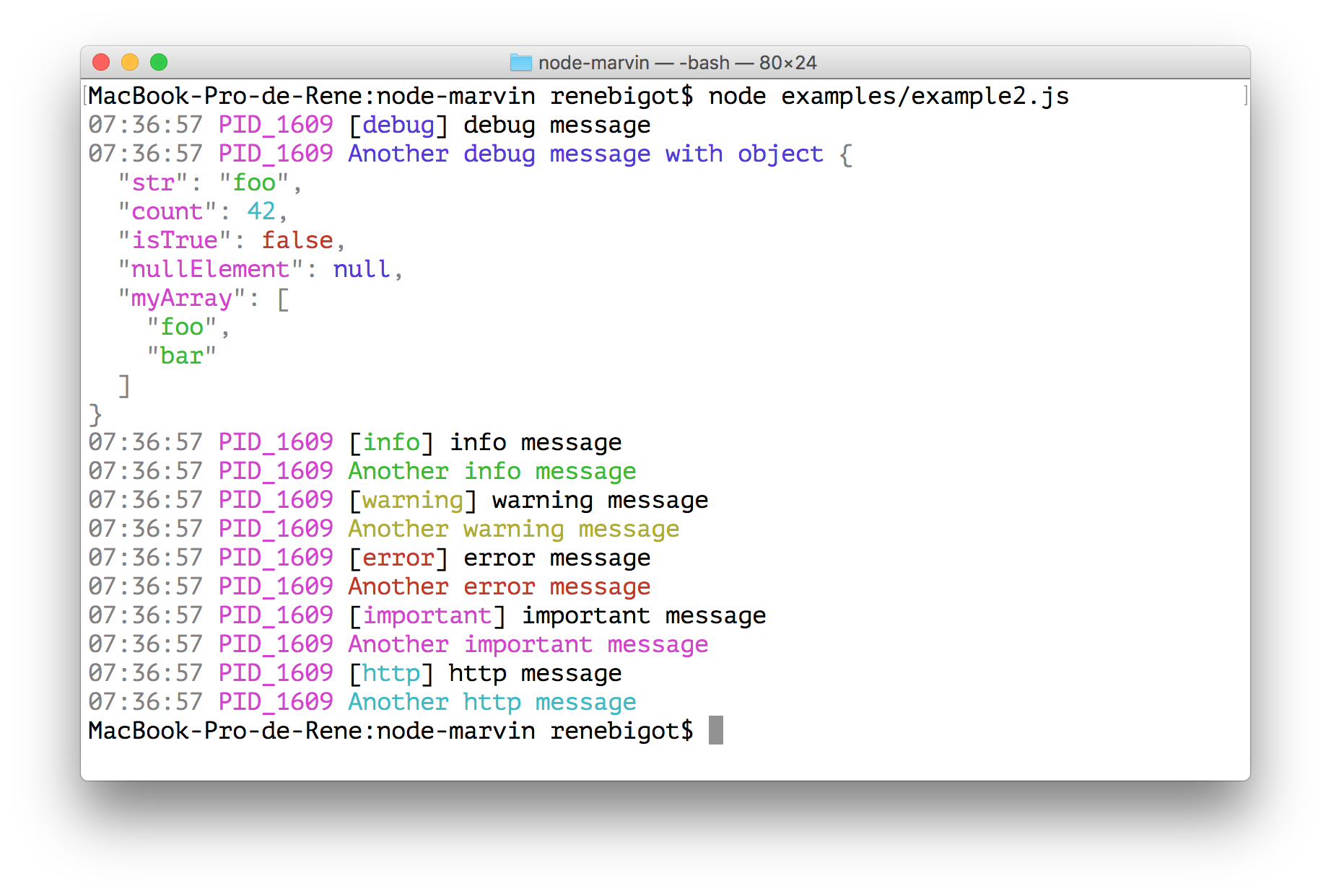
marvin-logger is a simple, effective, colorful and cross-platform logger for nodejs which:
- Log to console
- Log to file
- Works as a middleware with expressjs
- "Rotate" log files
- Colorize logs by levels (debug, info, warning, error, important, http)
Install
npm install --save marvin-logger
Usage
Include library and create a logger instance. By default, you'll log only to your console.
var Marvin = require('marvin-logger'),
    logger = new Marvin();
To log to file, you have to define the output directory:
var Marvin = require('marvin-logger'),
    logger = new Marvin({
      logOutputDirectory: './logs'
    });
Default log format is {{DATETIME}} {{PID}} {{LOG}} with :
- {{DATETIME}} : Date + time (for file log) or time (for console log)
- {{PID}} : Current process PID (useful for clusters)
- {{LOG}} : Log message
Log format can be specified at init time :
var Marvin = require('marvin-logger'),
    logger = new Marvin({
      logFormat: '{{DATETIME}} - {{LOG}}'
      logOutputDirectory: './logs'
    });
Log some debug data :
logger.debug('[debug] message');
logger.debug('Another debug message with object', {foo: 'bar'});
debug() can be replaced with info(), warn(), error(), important() and http(). Every methods use the same syntax as console.log().
You can define a minimal log level by passing the level option to Marvin:
var Marvin = require('marvin-logger'),
    logger = new Marvin({
      level: 'error',
      logOutputDirectory: './logs'
    });
In this example, only error(), important() and http() will be able to display information.
important() and http() are always shown. You can use them to display important data like critical states or http access (or what ever you want).
To change log level :
logger.setLogLevel('info');
logger.setLogLevel('none');
If the log data begins with brackets ('[...]'), only the text between the brackets will be colorized.
logger.important('[MyApp] Super important log message');
To use marvin-logger as an expressjs middleware logger:
var express = require('express'),
    app = express(),
    logger = new Marvin();

app.use(logger.expressMiddleWare());
To filter, you can specify wich string or Regex your messages should match, one filter per log level:
var Marvin = require('marvin-logger'),
    logger = new Marvin({
      errorFilter: 'my-filter-string',
      debugFilter: 'my-filter-regex',
    });
Available filters are : debugFilter, infoFilter, warnFilter, errorFilter, importantFilter and httpFilter.
Messages not matching filters are neither written to console nor file.
To change a filter after init :
logger.setDebugFilter(null);
logger.setInfoFilter('my-string');
logger.setWarnFilter('my-string');
logger.setErrorFilter('');
logger.setImportantFilter(/my-[regx]/i);
logger.setHttpFilter(/[^htp]/i);
To use marvin-logger as a singleton insance :
var logger = require('marvin-logger').sharedInstance;
logger.setLogOutputDirectory('logs');
logger.setLogLevel('debug');
Scripts
- npm run test :
mocha
- npm run autotest :
supervisor -q -n exit -x mocha -- --reporter=nyan
- npm run autotest-cov :
supervisor -w ./index.js,./test -q -n exit -x istanbul -- cover _mocha
- npm run readme :
node ./node_modules/.bin/node-readme
Dependencies
Contributing
Contributions welcome; Please submit all pull requests against the master branch. If your pull request contains JavaScript patches or features, you should include relevant unit tests.
Author
René BIGOT
License




