
New Research: Supply Chain Attack on Axios Pulls Malicious Dependency from npm.Details →
Socket
Book a DemoSign in
Socket

bootstrap-max-width

Package Overview
Dependencies
Maintainers
1
Versions
2
Alerts
File Explorer

Advanced tools

Socket logo

Install Socket

Detect and block malicious and high-risk dependencies

Install

bootstrap-max-width

Responsive Max Width built with Bootstrap 5. Learn how to make a container or an element max width within its parent.

latest
Source
npmnpm
Version
1.0.1
Version published
Weekly downloads
19
-20.83%
Maintainers
1
Weekly downloads
 
Created
Source

Responsive Max Width built with Bootstrap 5. Learn how to make a container or an element max width within its parent.

Check out Bootstrap Max Width Documentation for detailed instructions & even more examples.

Examples

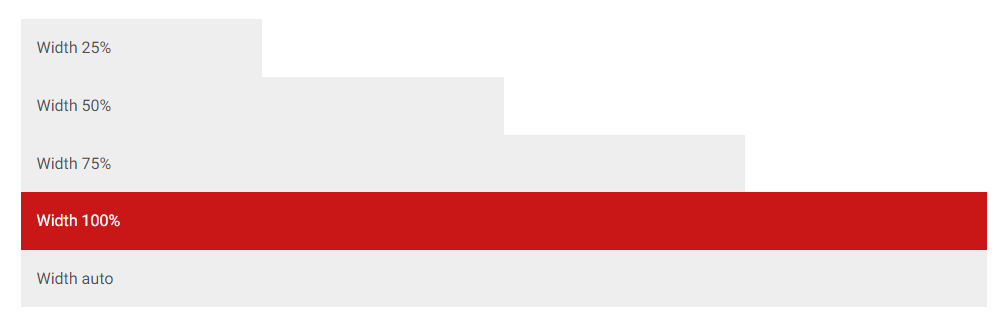
Width utilities are generated from the utility API in _utilities.scss. Predefined classes support 25%, 50%, 75%, 100%, and auto by default. In order to make an element take the entire width of its parent add a .w-100 class to it.

Bootstrap Dark Mode

<div class="w-25 p-3" style="background-color: #eee">Width 25%</div>
<div class="w-50 p-3" style="background-color: #eee">Width 50%</div>
<div class="w-75 p-3" style="background-color: #eee">Width 75%</div>
<div class="w-100 p-3" style="background-color: rgb(201, 23, 23)">Width 100%</div>
<div class="w-auto p-3" style="background-color: #eee">Width auto</div>

You can also use max-width: 100%; utilities as needed.

<img src="https://mdbcdn.b-cdn.net/img/new/slides/041.webp" class="mw-100" alt="wild landscape" />

Max width relative to viewport

You can also use utilities to set the width and height relative to the viewport with the vw (viewport width) values.

<div class="min-vw-100">Min-width 100vw</div>
<div class="vw-100">Width 100vw</div>

How to use?

  • Download MDB 5 - free UI KIT

  • Choose your favourite customized component and click on the image

  • Copy & paste the code into your MDB project

▶️ Subscribe to YouTube channel for web development tutorials & resources

More extended Bootstrap documentation

Keywords

bootstrap

FAQs

Package last updated on 15 Jun 2022

Did you know?

Socket

Socket for GitHub automatically highlights issues in each pull request and monitors the health of all your open source dependencies. Discover the contents of your packages and block harmful activity before you install or update your dependencies.

Install

Related posts

